
Overview
Starting from plugin version 3.59, it is possible to set weight values for each search source. Before that, this was only possible via PHP hooks.
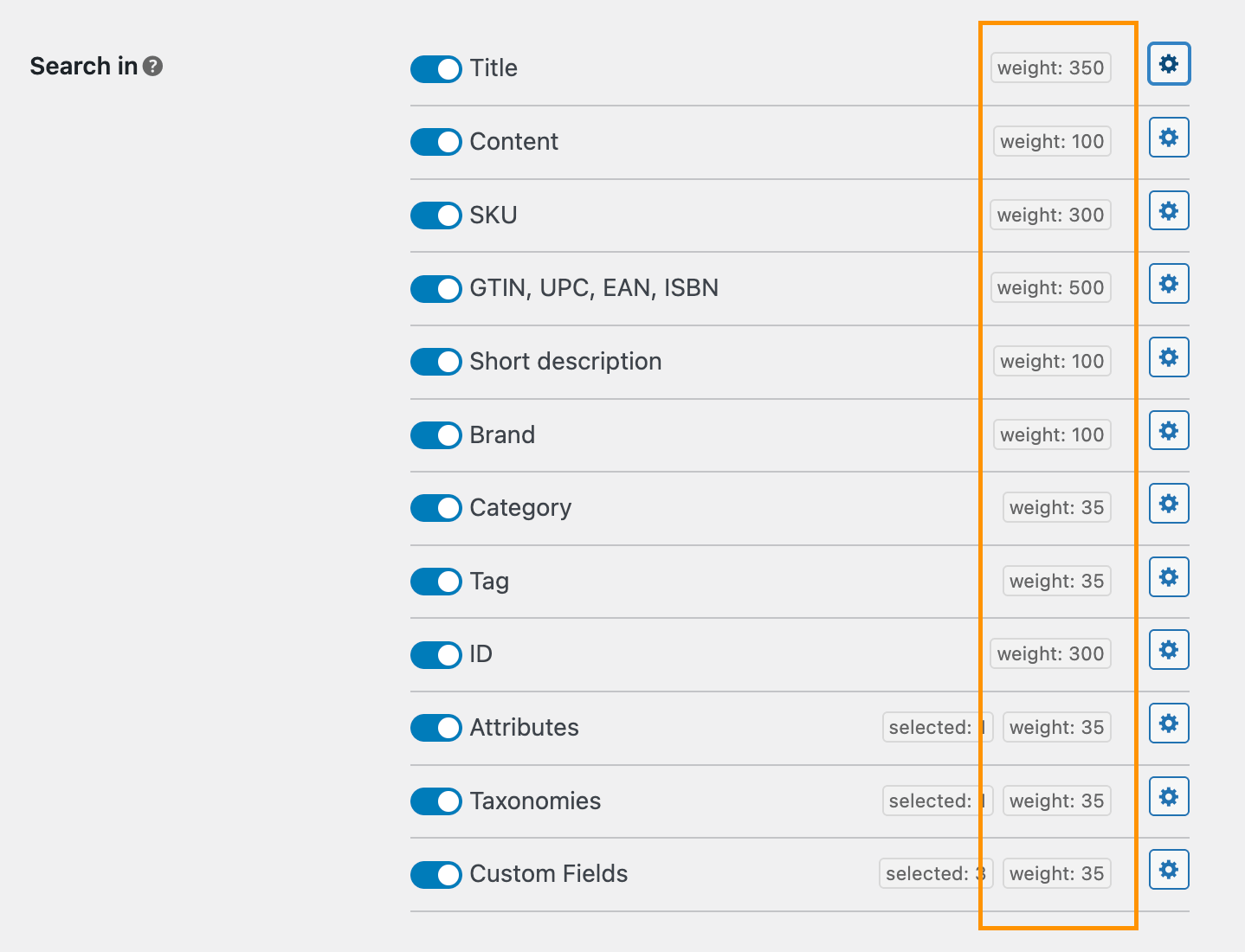
The weight value shows how important each product field is when ranking products in search results. A higher value means a greater impact. The available range is 1-999. Default weight values are set to provide optimal search results, but you can change them to any values you prefer.
How weight affects search results
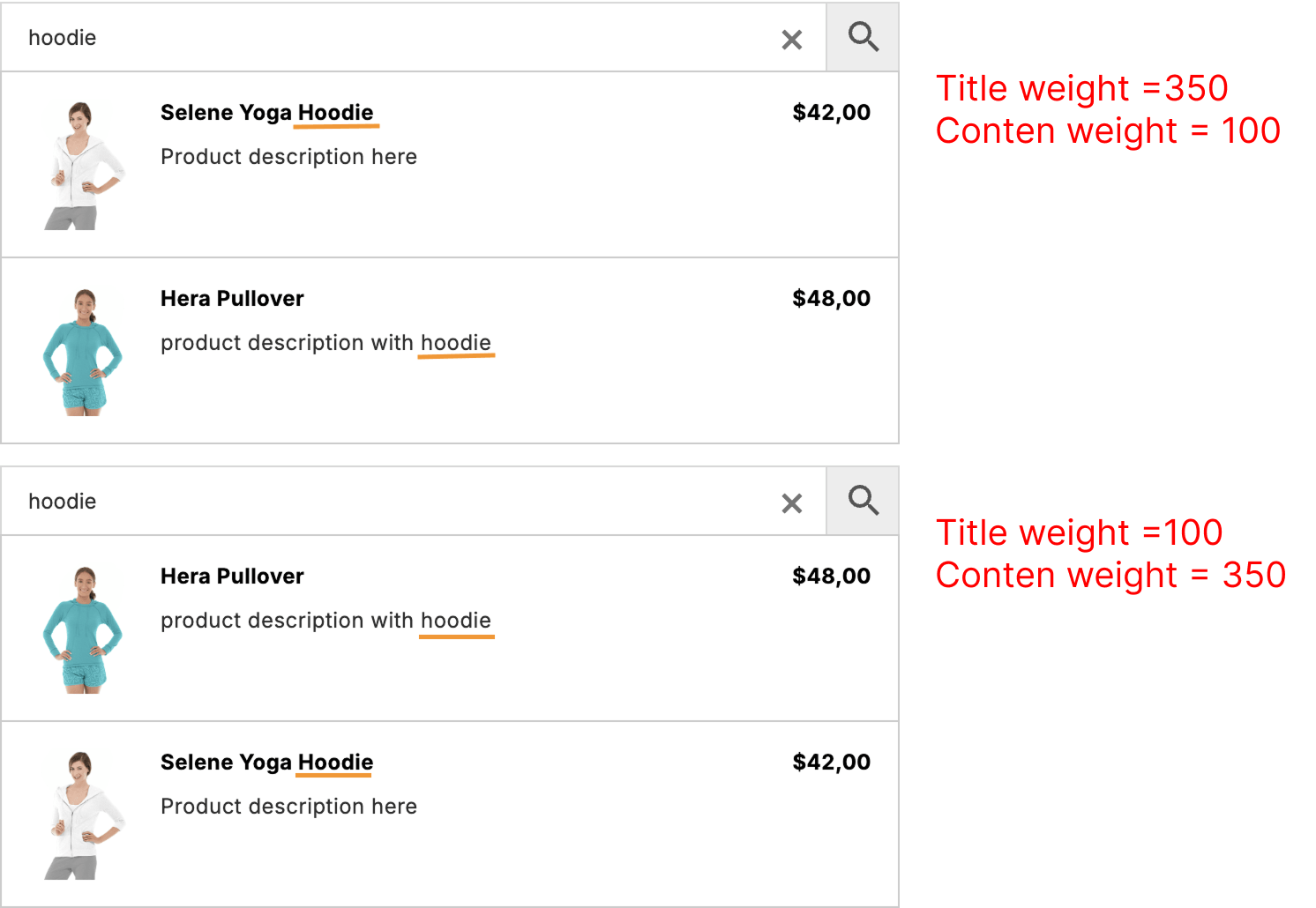
Example: We set the weight to 350 for the Title field and 100 for the Content field. We have two products, A and B. Product A has the search term in its title, and product B has the same term in its content. With these weight values, product A will appear first in the search results.
If we change the values and set 350 for Content and 100 for Title, then with the same search query, product B will appear first.
How to set weight values
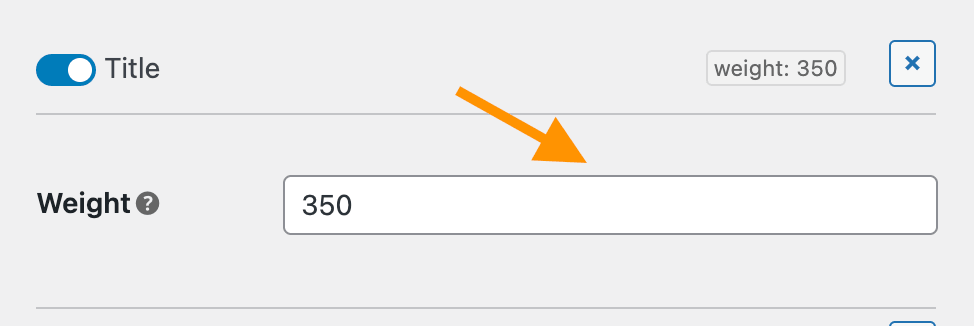
Simply go to the plugin settings page -> Search Config -> Search Engine and find the Search In option.
Click the gear icon next to each field to open its settings. There you can set the weight value for that specific field.
For fields like Taxonomies, Attributes, and Custom Fields, it is possible to set a global weight value for all child terms and also override this value for a specific term individually.
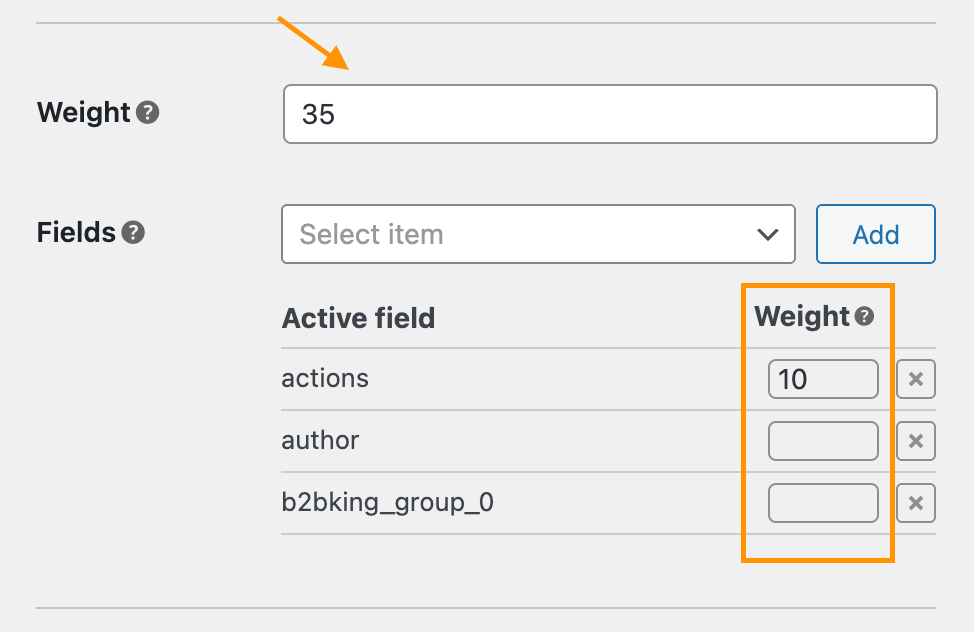
If the weight value is empty here, it will inherit the value from the Custom Field source.
Comments