Overview
In this article, we will cover how to preselect Quick Filter items related to product taxonomies on taxonomy term pages.
Example: When a user navigates to the Clothing category page, the search bar automatically has the Clothing filter preselected. This means that when searching via this search bar, the user will only get results related to the Clothing category instead of all available search results.
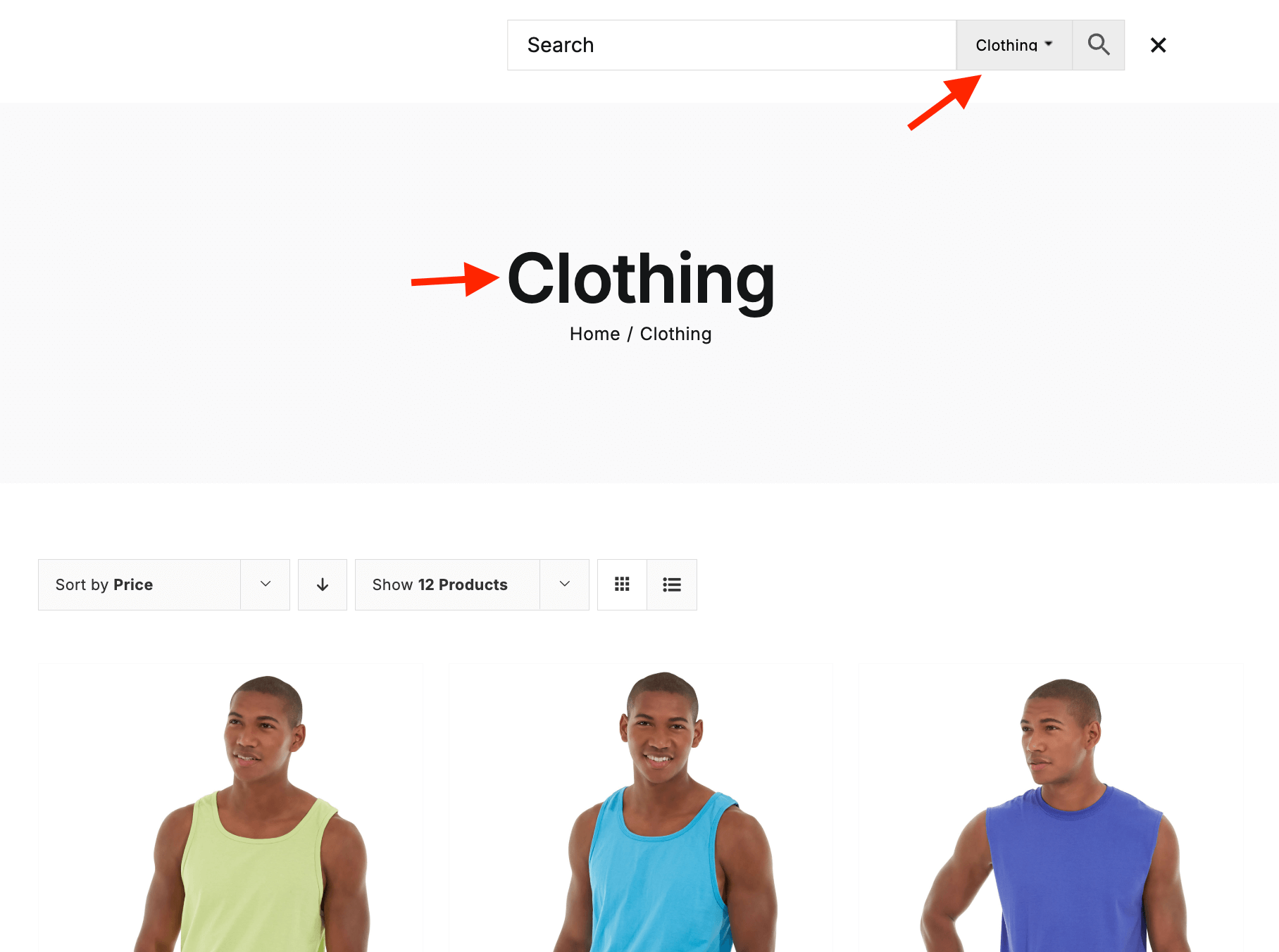
Example of preselected search filter inside product category page
As you can see, this is very useful and makes the shopping experience more convenient. Users see only the relevant search results instead of all available ones. This can potentially increase shop conversion rates.
What are Quick Filters for the search bar
Search bar Quick Filters is a special PRO feature that allows you to create filter buttons directly next to the plugin search bar. Using these filters, users can easily refine their search results based on specific criteria - such as attributes, categories, price, and more.
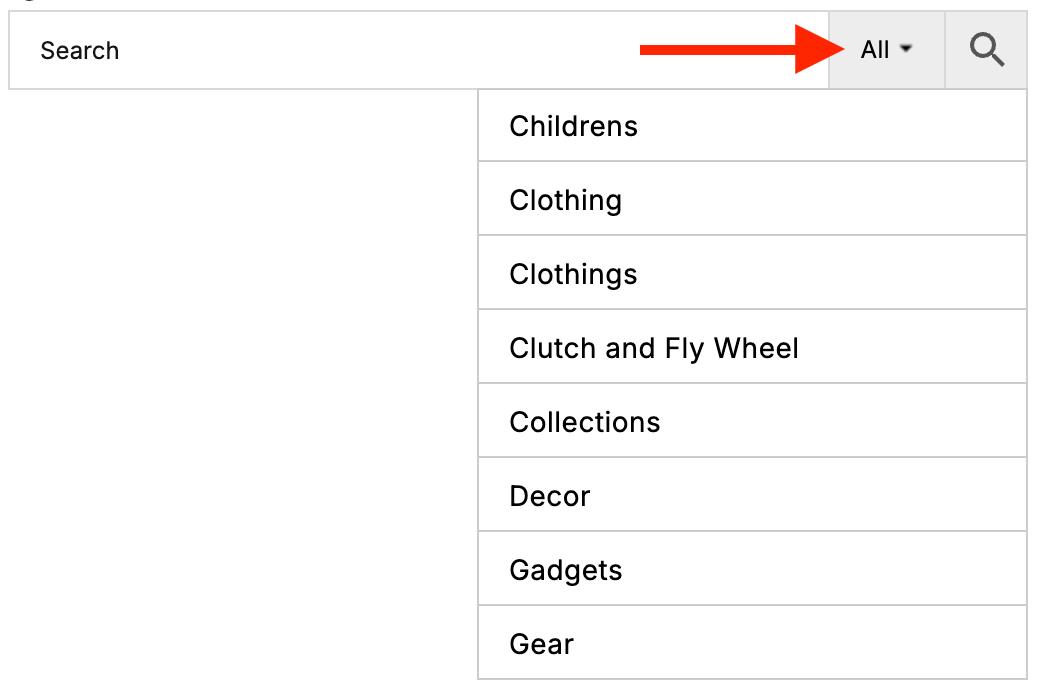
Quick Filters buttons
You can read more about Quick Filters and how to configure them here: Search Form Quick Filters Buttons.
How to enable preselection
Follow these steps to enable preselection for Quick Filters on taxonomy pages.
1. Open the plugin settings page → Search Bar → Quick Filters.
2. Click the Add New Filter button.
Buttons to create new quick filter
3. Click the gear icon next to the newly created filter to open its settings. The most important option here is Filter Type. The preselection feature works only with the Multiple Filter type, so select this option.
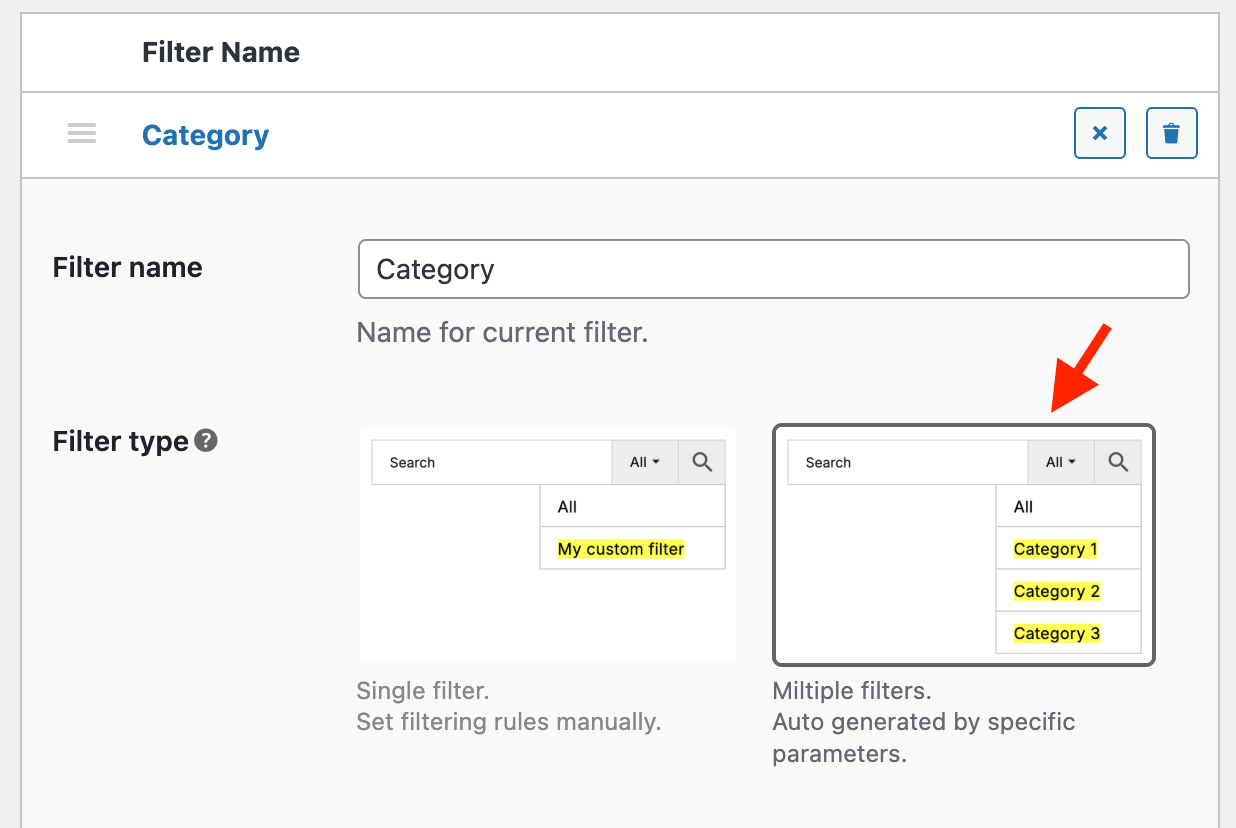
Filter type option
4. Then select the Filter by option. This setting will generate filtering choices based on the selected taxonomy. The preselection option will work only for that specific taxonomy.

'Filter by' option
5. Finally, enable the Preselect option.

'Preselect' option
6. Save the changes and open any archive page for the taxonomy selected in the Filter by option of the Quick Filter. The corresponding taxonomy term will now be automatically preselected in the search bar Quick Filter on that page.